

Follow Batteries Plus


How to Replace Your Key Fob Battery
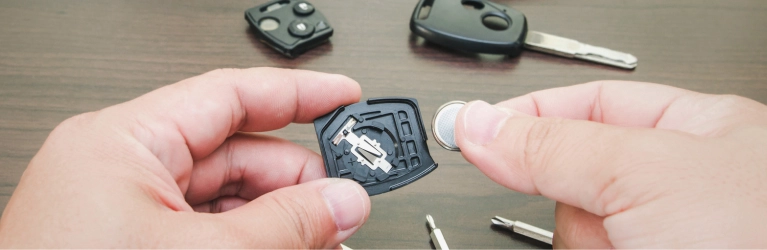
Most key fob batteries last between 3 to 4 years. If your key fob has started working inconsistently or stopped unlocking your car altogether, there's a good chance the battery just needs to be replaced. Here's how to replace your key fob battery in 5 easy steps:
Phase 1: Identifying the Problem
Before you take your key fob apart, confirm that the battery is actually the issue. Look for these common warning signs:
- Reduced Signal Range: You find yourself having to stand much closer to the vehicle for the buttons to work.
- Inconsistent Performance: The fob works occasionally or requires multiple button presses to lock/unlock.
- Dashboard Warnings: Many modern vehicles will display a "Key Fob Battery Low" message on the instrument cluster.
- LED Failure: If your fob has a small light that usually flashes when buttons are pressed, and it no longer lights up, the battery is likely dead.
Phase 2: Preparation
Before you begin the physical replacement, it is important to have the correct components and tools ready. Being prepared ensures a smooth process and prevents any accidental damage to the fob's delicate internal casing.
1. Identify Your Battery Type
Most key fobs use "coin cell" lithium batteries. The most common types are:
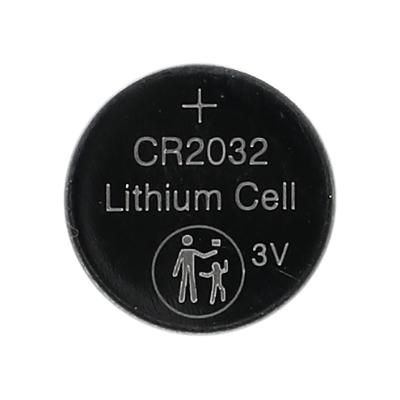

How to check: Look at the back of the fob (sometimes it's embossed in the plastic) or open the fob to see the text on the existing battery.
2. Gather Your Tools
You typically only need one of the following to pry the case open:
- A small flat-head screwdriver
- A sturdy coin (like a nickel or quarter)
- A plastic prying tool (to avoid scratching the casing)
Phase 3: Step-by-Step Replacement
Step 1: Open the Fob
Look for a small notch or seam along the side or top of the key fob.
- If your fob has a mechanical "emergency key" tucked inside, remove it first. Often, the slot where the key sat provides the best leverage point to pry the two halves of the fob apart.
- Insert your tool into the notch and gently twist or pry until the halves separate.
Step 2: Note the Battery Orientation
Before removing the old battery, look at which way the plus (+) sign is facing. Usually, the positive side faces up, but this varies by model.
Pro Tip
Take a quick photo with your phone before removing the old battery.
Step 3: Remove the Old Battery
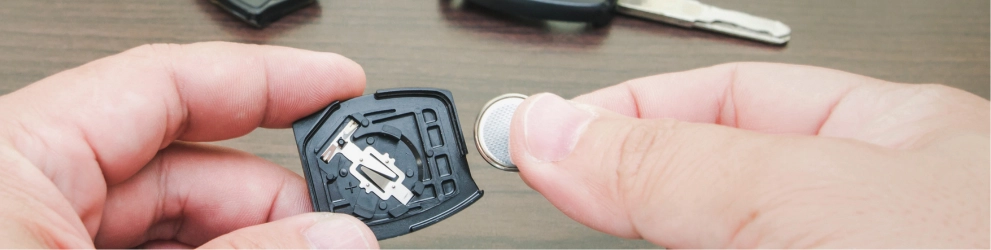
Use your screwdriver or fingernail to gently lift the battery out of its housing. Be careful not to bend the metal contact clips.
Step 4: Insert the New Battery
Place the new battery into the slot, ensuring the orientation (+/-) matches the original setup. Press down gently until it clicks into place.
Step 5: Reassemble and Test
Align the two halves of the fob and press them together firmly until you hear them snap shut.
- Test the buttons near your vehicle to ensure the range and response have returned to normal.
Professional Key Services at Batteries Plus
If you'd rather have an expert handle it or if your fob needs more than just a battery, Batteries Plus offers a full suite of professional services to save you time and money.
- Expert Battery Installation: We don't just sell the battery; our associates can install it for you while you wait.
- One-Time or Unlimited Battery Plans: Choose between a single replacement or our "Lifetime" plan—pay once and get free battery replacements for as long as you own your vehicle.
- Key Fob Cutting & Programming: Need a backup or a brand-new remote? We can cut and program a new fob for most makes and models for up to 50% less than the dealership.
- Key Fob Shell Replacement: If your buttons are worn or the plastic casing is cracked but the remote still works, we can swap the internal electronics into a brand-new shell.
- Walk-Ins Welcome: Most services are completed in minutes with no appointment necessary.
Frequently Asked Questions
In the vast majority of cases, no. The fob's memory is non-volatile, meaning it remembers its pairing with your car even when the power is disconnected.
If a fresh battery doesn't work, the fob might have internal damage, or the metal contacts may be dirty or bent. Try cleaning the contacts with a tiny amount of rubbing alcohol on a cotton swab. If it still fails, you may need a professional replacement or reprogramming.
While they are the same voltage (3V), they are different thicknesses. A CR2032 is 3.2mm thick, while a CR2025 is 2.5mm thick. Using the wrong one can lead to poor contact or a rattling fob. Always use the exact model recommended.
Most fobs have a hidden mechanical key inside the casing. You can use this to manually unlock the driver's door. To start the car, many vehicles have a backup method, such as holding the dead fob directly against the Start/Stop button while pressing the brake.
You can find these batteries at most big-box retailers, hardware stores, pharmacies, or specialized battery shops like Batteries Plus. They are also widely available online, often in multi-packs, which are more cost-effective.